

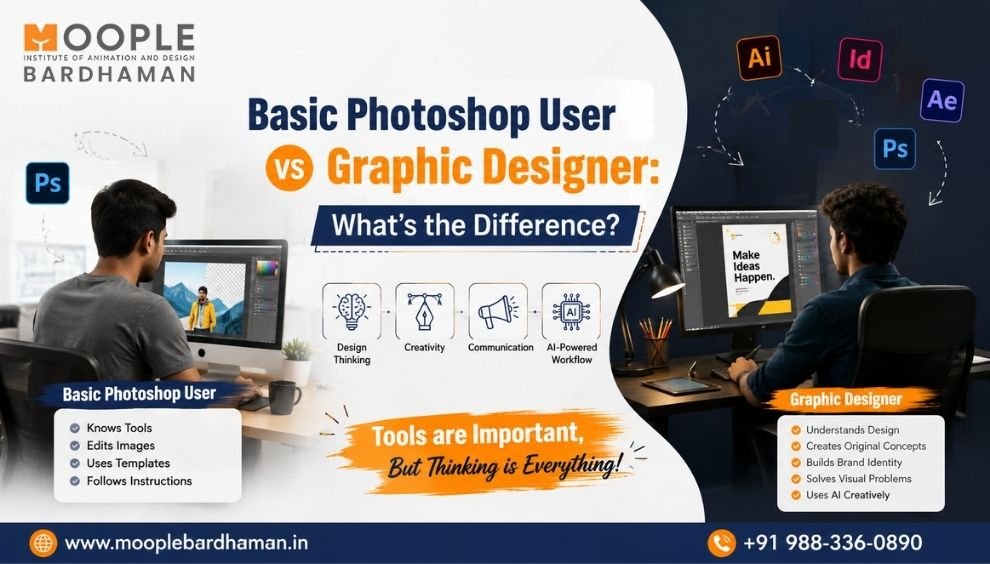
Basic Photoshop User vs Graphic Designer: What’s the Difference?
Anyone who is interested in design, knowing photoshop is a great starting point for them. But knowing that software only does not make you a professional graphic designer.
When a normal person uses Photoshop they may know about types of social media designs, how to remove background, edit photos, add text, use effects etc. But, a professional graphic designer understands much more than that—such as the principles of design, typography, color theory, branding, composition, visual details, audience psychology, and creative problem-solving.
The role of designers is currently changing due to the impact of artificial intelligence (AI). Modern designers combine their traditional design skills with AI-based image creation, image editing, and other AI-assisted workflows.
So, what is the difference between a normal Photoshop user and a professional graphic designer? And how can an AI Graphic Design Course in Bardhaman help you develop the skills required for today's creative industry?
Let's find out.
Photoshop User vs Graphic Designer: The Quick Difference
|
Basic Photoshop User |
Professional Graphic Designer |
|
Knows Photoshop tools |
Understands design concepts |
|
Edits existing images |
Creates original visual concepts |
|
Uses fonts |
Understands typography |
|
Selects attractive colors |
Uses color strategically |
|
Uses templates |
Develops creative layouts |
|
Focuses on appearance |
Focuses on communication |
|
Makes individual designs |
Builds consistent brand visuals |
|
Follows instructions |
Understands a design brief |
|
May use one software |
Uses multiple creative tools |
|
Creates basic graphics |
Creates professional design solutions |
|
May use AI randomly |
Uses AI as part of a creative workflow |
|
Has practice work |
Builds a professional portfolio |
What Can a Basic Photoshop User Do?
Adobe Photoshop is a powerful tool for image editing and digital design.
A beginner who understands Photoshop can perform tasks such as:
Cropping and resizing images
Removing backgrounds
Photo retouching
Color correction
Image manipulation
Adding text
Creating simple posters
Designing social media posts
Applying effects
Combining multiple images
Creating normal advertisements
These skills are certainly useful, but in the realm of professional graphic design, they represent only a fraction of the whole.
For instance, anyone can place a headline on a poster. However, a professional designer must make specific decisions:
Where should the headline be placed?
Which font should be used?
What should its size be?
What should catch the viewer's eye first?
Which colors best represent the brand?
Is the message easy to read?
Is the design appropriate for the target audience?
Will the design work effectively across both mobile and print media?
This is precisely where "design sense" becomes far more important than the mere ability to use software.
What Does a Professional Graphic Designer Do?
A professional graphic designer solves visual communication problems.
Instead of simply asking:
"How can I make this image attractive?"
a designer asks:
"What does this design need to communicate, who is the audience, and how can the visual communicate that message effectively?"
A professional designer typically works with:
Design briefs
Typography
Color systems
Layouts
Branding
Visual hierarchy
Image editing
Vector graphics
Digital advertising
Print design
Social media creatives
UI layouts
Motion graphics
AI-assisted design workflows
The designer's job is not only to create something visually appealing. It is to create something purposeful.
7 Skills That Separate a Photoshop User from a Graphic Designer
1. Design Principles
A professional designer understands principles such as:
Balance
Contrast
Alignment
Proximity
Repetition
Hierarchy
White space
These principles help make designs clear, organized and visually effective.
2. Typography
Choosing a font is easy.
Understanding typography is different.
A graphic designer needs to understand:
Font selection
Font pairing
Font hierarchy
Letter spacing
Line spacing
Readability
Font weight
Brand personality
For example, the typography used for a children's brand may be very different from the typography used by a corporate finance company.
3. Color Theory
A Photoshop user may select a color because it looks attractive.
A designer considers:
Brand identity
Color combinations
Contrast
Audience
Visual hierarchy
Emotional impact
Digital and print applications
Good color choices can make a design easier to understand and a brand easier to recognize.
4. Composition
Composition determines how elements are arranged within a design.
A professional designer considers:
Visual balance
Focal points
Scale
Alignment
White space
Grid systems
Visual flow
This is why two people using the same Photoshop tools can create completely different-quality designs.
5. Branding
A graphic designer needs to understand how different visual elements work together.
Branding may include:
Logo
Colors
Typography
Icons
Graphics
Photography style
Marketing materials
Social media visuals
Packaging
A designer should be able to maintain visual consistency across different platforms.
6. Creative Problem-Solving
Professional design often starts with a problem.
For example:
Problem: A new business needs to attract younger customers.
The designer needs to understand the audience, research the brand, develop concepts and create visuals that support the objective.
Photoshop helps execute the design.
Creative thinking determines what should actually be designed.
7. AI-Assisted Design
AI is becoming an important part of modern creative workflows.
AI tools can assist designers with:
Visual ideation
Image generation
Background creation
Image editing
Creative variations
Concept development
Content creation
Design exploration
However, AI does not eliminate the need for design knowledge.
The strongest approach is:
Design Fundamentals + Professional Software + AI Tools + Human Creativity
Moople Bardhaman's published content also emphasizes combining creative skills with AI rather than treating AI as a replacement for creativity and problem-solving.
Photoshop Is a Tool. Graphic Design Is a Profession.
This is perhaps the most important difference to understand.
Photoshop is software.
Graphic design is a discipline.
You can learn hundreds of Photoshop commands without understanding why a design works.
Similarly, you can use AI to generate an attractive image without understanding:
Composition
Typography
Branding
Color
Audience
Visual hierarchy
Communication
Modern designers therefore need to learn how to think before learning how to execute.
Can AI Replace Graphic Designers?
No.
AI can automate certain repetitive tasks and speed up parts of the creative process, but professional design still requires:
Creative direction
Human judgment
Brand understanding
Communication
Storytelling
Concept development
Design strategy
Client understanding
AI can generate possibilities.
A designer decides which possibility actually solves the problem.
This is why an AI Graphic Design Course should not focus only on AI tools. It should also build strong traditional design fundamentals.
What Should You Learn in an AI Graphic Design Course?
A strong AI Graphic Design Course in Bardhaman should ideally combine traditional design knowledge with modern technology.
Design Fundamentals
Learn:
Typography
Color theory
Composition
Layout
Visual hierarchy
Design principles
Graphic Design
Practice:
Logo design
Branding
Social media design
Poster design
Advertisement design
Packaging design
Brochure design
Digital publishing
Professional Software
Depending on the course, students may work with tools such as:
Photoshop
Illustrator
InDesign
CorelDRAW
Figma
After Effects
Premiere Pro
Moople Bardhaman's Advanced Graphic Design & AI curriculum currently lists these tools as part of its published software coverage.
AI-Powered Design
Students can also explore:
AI image editing
AI image generation
Generative AI
AI-assisted creative workflows
Faster design ideation
AI-based visual enhancement
What Projects Should You Create During Graphic Design Training?
Learning software through random exercises is not enough.
A good Graphic Design Course with AI should give students opportunities to work on practical projects.
Some useful projects include:
Logo Design
Create a logo based on a real-world business brief.
Brand Identity
Develop a complete visual identity using logo, colors and typography.
Social Media Campaign
Create multiple connected creatives for one campaign.
Poster Design
Create promotional posters for different audiences.
Packaging Design
Design packaging that communicates a product's identity.
Brochure Design
Create an organized brochure using professional layout principles.
Advertisement Design
Design digital or print advertisements based on a marketing objective.
Website Layout
Create desktop and mobile visual layouts.
Motion Graphics
Turn static brand visuals into simple motion-based promotional content.
AI Creative Project
Use AI-assisted tools for ideation, image generation or editing while applying proper design principles.
These projects can become valuable portfolio pieces.
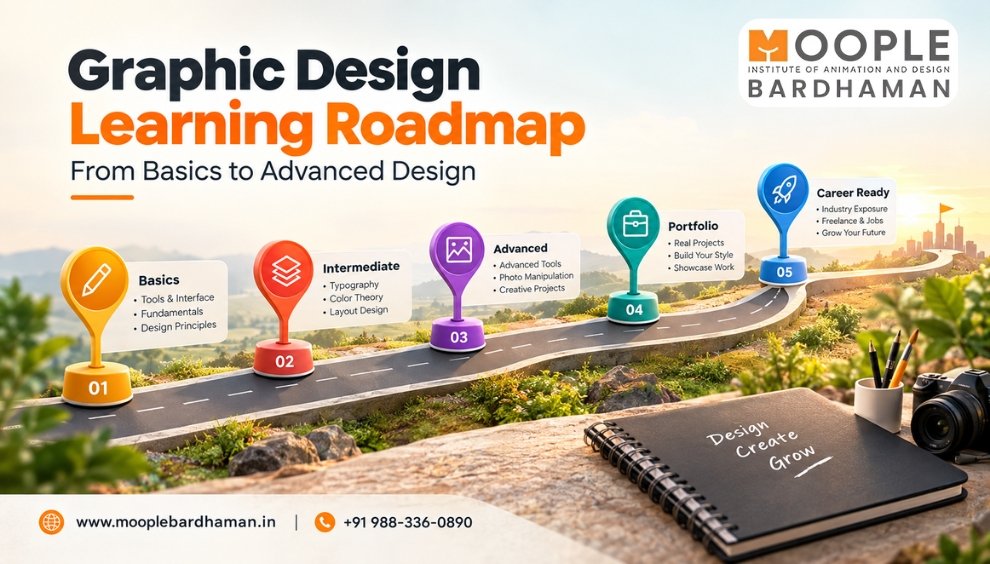
From Photoshop User to Professional Graphic Designer
The transformation usually happens step by step.
Beginner Stage
You learn:
Photoshop → Tools → Basic Editing
Developing Stage
You learn:
Typography → Color → Layout → Composition
Professional Stage
You learn:
Branding → Design Strategy → Client Briefs → Portfolio
Modern Designer Stage
You add:
AI → Generative Tools → AI Editing → Faster Creative Workflows
The objective is not to abandon Photoshop.
It is to move beyond only knowing Photoshop.
What to Look for in an AI Graphic Design Course in Bardhaman
If you're searching for an AI Graphic Design Course in Bardhaman, look beyond the course title.
Before enrolling, check whether the program covers:
Graphic design fundamentals
Photoshop
Illustrator
Branding
Typography
Image editing
Layout design
Social media design
Packaging
UI design
AI-powered design
Practical projects
Portfolio development
Career guidance
A comprehensive curriculum can help you develop the skills needed for various creative roles.
Moople Bardhaman currently offers an Advanced Graphic Design and AI course covering areas such as vector art, logo and brand development, AI image editing, social media and print branding, packaging, digital publishing, website layout, and video creation.
The institute also outlines career paths such as AI-powered graphic designer, UI/UX designer, motion graphics expert, creative technologist, branding and visual identity specialist, and social media designer.
Career Opportunities After AI Graphic Design Training
Combining graphic design with AI can prepare students to explore different creative roles, depending on their skills and portfolio.
Possible career paths include:
Graphic Designer
AI-Powered Graphic Designer
Logo Designer
Branding Designer
Social Media Designer
UI Designer
Layout Designer
Infographic Artist
Motion Graphics Artist
Creative Designer
The exact career you want to proceed depends on your skills, specialization, portfolio and practical experience.
Are You Ready to Become an AI-Powered Designer?
Photoshop is just a starting point. Build your skills in graphic design, professional software and AI-powered creative tools to turn your ideas into professional designs and a strong portfolio.
Ready to take the next step? Explore the Advanced Graphic Design & AI Course at Moople Bardhaman and start building your creative career today.
Frequently Asked Questions
Is Photoshop enough to become a graphic designer?
No. You also need design principles, typography, color theory, branding and creative thinking.
What is an AI Graphic Design Course?
It combines graphic design skills, professional software and AI-assisted creative tools.
Can beginners learn AI graphic design?
Yes. Beginners can start with design fundamentals and gradually learn software and AI tools.
Is AI useful for graphic designers?
Yes. AI can assist with ideation, image creation, editing and repetitive design tasks.
Can AI replace graphic designers?
No. AI assists designers, but creativity, strategy and human judgment remain important.
What software is used in graphic design?
Common tools include Photoshop, Illustrator, InDesign, CorelDRAW, Figma and After Effects.
Can I learn graphic design after 12th?
Yes. Students can begin professional graphic design training after Class 12.
What skills are needed for AI graphic design?
You need design fundamentals, software skills, creativity, branding knowledge and AI-tool skills.
What is the best AI Graphic Design Course in Bardhaman?
Compare curriculum, practical training, AI integration, software coverage and portfolio opportunities before choosing.
Where can I learn AI Graphic Design in Bardhaman?
Moople Bardhaman offers an Advanced Graphic Design & AI program that students can explore.