
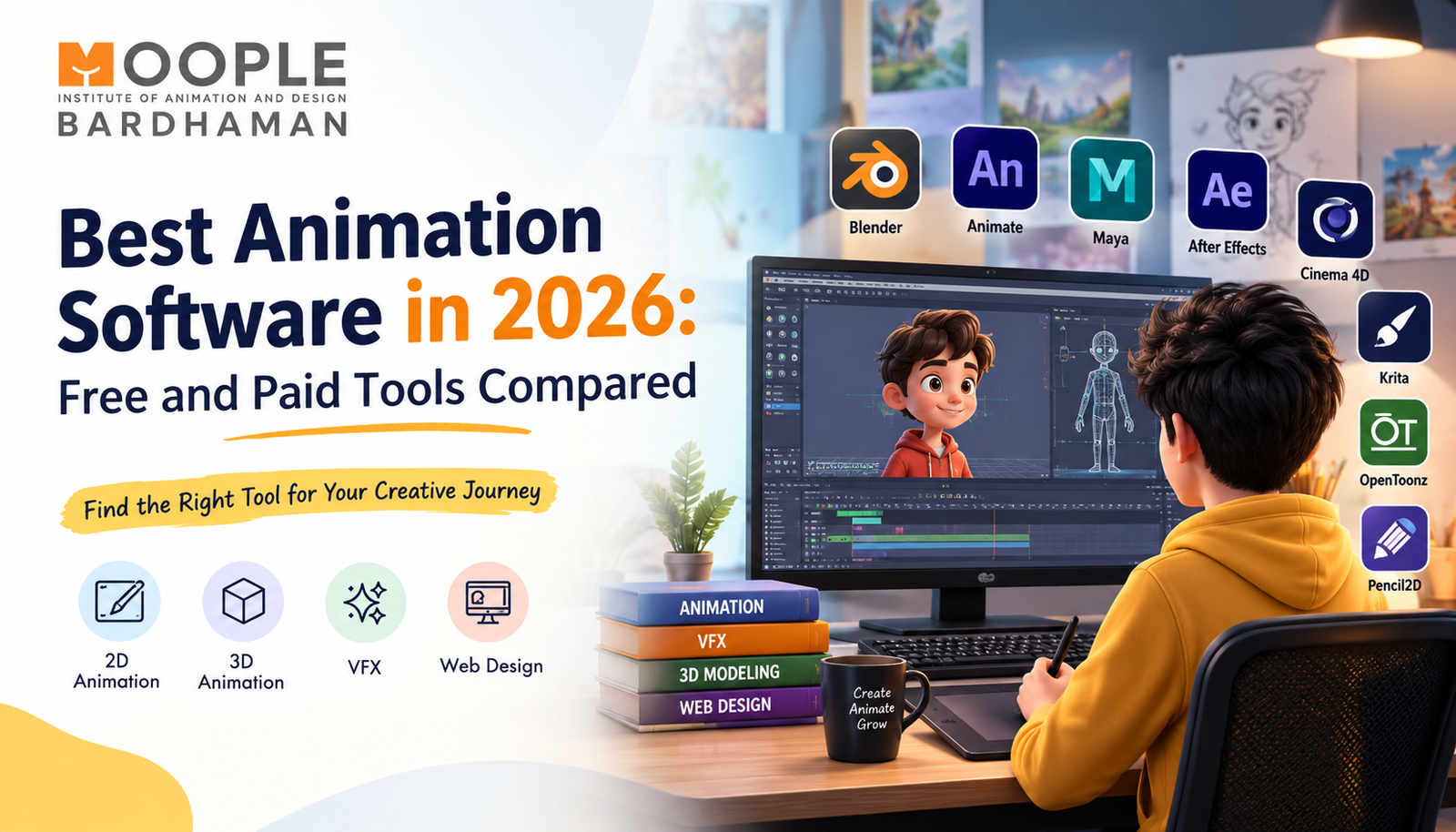


Best Animation Software in 2026: Free and Paid Tools Compared
Animation has become an important part of filmmaking, advertising, gaming, social media, and digital content creation. From eye-catching 3D characters to explainer videos and visual effects, animation helps brands and creators communicate ideas in more engaging ways. However, choosing the right software can be challenging, especially for beginners who are exploring animation for the first time.
In 2026, there are several animation programs available for different skill levels, creative goals, and budgets. Some tools are free and suitable for learning the fundamentals, while others offer professional features for advanced 2D animation, 3D modelling, character creation, and VFX production.
But which tool should you choose? The answer depends on what you want to create, your current skills, your computer's capabilities, and your long-term career goals.
At Moople Bardhaman, aspiring creative professionals can explore animation, visual effects, and other digital design disciplines to build the foundation for a career in the creative industry. Understanding animation software is a useful first step towards discovering which area suits your interests.
Let's compare the leading free and paid animation tools, their features, advantages, limitations, and ideal uses.
What Is Animation Software?
Animation software is a digital tool used to create movement by combining drawings, images, models, or visual elements across a sequence of frames. Depending on the program, users can create traditional 2D cartoons, motion graphics, realistic 3D characters, product visualisations, and cinematic visual effects.
Different tools support different workflows. For example, a 2D animator may focus on drawing and timing, while a 3D artist may work with modelling, materials, lighting, rigging, and rendering.
Before choosing software, consider these factors:
- Ease of use: Is the interface suitable for beginners?
- Features: Does it support the animation style you want to learn?
- Hardware requirements: Will it run smoothly on your computer?
- Learning resources: Are tutorials and documentation available?
- Budget: Is the software free, subscription-based, or available through a one-time purchase?
- Career relevance: Does the tool fit your intended creative specialisation?
The best choice is not necessarily the most expensive one. It is the software that supports your goals and allows you to practise consistently.
Best Animation Software in 2026: Free and Paid Options
Here is a comparison of popular animation tools and the type of work each one supports.
| Animation software | Pricing model | Best suited for |
| Blender | Free and open-source | 3D animation, modelling, rendering and VFX |
| Pencil2D | Free and open-source | Beginner-friendly hand-drawn 2D animation |
| Krita | Free and open-source | Digital illustration and frame-by-frame animation |
| OpenToonz | Free and open-source | 2D animation and traditional cartoon workflows |
| Autodesk Maya | Paid; terms vary | Professional 3D animation and character production |
| Adobe Animate | Paid; plan-dependent | 2D animation and interactive content |
| Toon Boom Harmony | Paid; plan-dependent | Professional 2D character animation |
| Cinema 4D | Paid; plan-dependent | 3D motion graphics and visualisation |
Pricing, licensing, and feature availability can change. Check each developer's official website for current plans and system requirements before purchasing.
1. Blender – Best Free Software for 3D Animation
Blender is one of the most versatile free tools for people interested in 3D animation. It brings several creative workflows together in one application, making it useful for independent creators, students, and experienced artists.
Key features
-
3D modelling and sculpting
- Character rigging and animation
- Materials, lighting, and rendering
- Camera tracking and compositing
- Simulation tools for effects such as smoke and cloth
- Support for creating complete 3D scenes
Advantages
Blender offers an extensive feature set without a software licence fee. Its active community, learning resources, and flexible workflow make it an attractive starting point for 3D artists.
Limitations
The interface can feel complicated to beginners. Rendering detailed scenes may also require a capable computer, particularly when working with complex models, lighting, and simulations.
Best for: Students and artists interested in 3D animation, modelling, product visualisation, and visual effects.
2. Pencil2D – Best for Learning Traditional 2D Animation
Pencil2D is a lightweight, open-source program designed for hand-drawn animation. It helps beginners understand the fundamentals of movement without requiring a complicated production setup.
Key features
- Frame-by-frame animation
- Bitmap and vector drawing workflows
- Timeline-based editing
- Support for traditional animation techniques
- A relatively simple interface
Advantages
Pencil2D is suitable for practising basic movements, such as walking cycles, bouncing balls, facial expressions, and simple cartoon scenes.
Limitations
It does not offer the extensive character-rigging, compositing, and production-management features found in many professional animation tools.
Best for: Beginners who want to understand drawing, timing, spacing, and movement.
3. Krita – Best Free Tool for Drawing-Based Animation
Krita is widely known as a digital painting application, but it also includes frame-by-frame animation capabilities. Artists who enjoy illustration may find it useful for creating animated sequences with a hand-drawn appearance.
Key features
-
Digital painting and illustration brushes
- Frame-by-frame animation
- Onion-skinning support
- Timeline and animation workspace
- Drawing tools for creating expressive characters
Advantages
Krita combines illustration and animation in the same environment. This makes it helpful for artists who want to develop drawing skills alongside animation fundamentals.
Limitations
It is not designed to replace a complete 3D production suite or every professional 2D animation pipeline. Larger projects may require additional tools for editing and compositing.
Best for: Illustrators, aspiring 2D animators, and artists creating hand-drawn sequences.
4. OpenToonz – Best Free Option for 2D Animation Projects
OpenToonz is an open-source animation application suitable for traditional and digital 2D workflows. It offers a broader set of production features than many lightweight beginner tools.
Key features
-
2D drawing and animation workflows
- Timeline and scene management
- Support for scanned drawings
- Effects and compositing capabilities
- Tools for organising animation scenes
Advantages
OpenToonz can help learners explore more structured 2D animation projects without paying for a commercial licence.
Limitations
Its interface and workflow may take time to understand. Beginners should expect to practise before using its more advanced features confidently.
Best for: Learners interested in cartoon production and more structured 2D animation workflows.
5. Autodesk Maya – Best for Professional 3D Character Animation
Autodesk Maya is a professional 3D application used in film, television, games, and other digital production environments. It is particularly well known for character animation, rigging, and complex 3D workflows.
Key features
-
Advanced character rigging
- Keyframe and character animation
- 3D modelling and scene development
- Simulation and effects workflows
- Tools for managing complex production scenes
Advantages
Maya provides powerful tools for artists who want to specialise in professional 3D character animation and related production work.
Limitations
It has a steeper learning curve than many beginner applications. Commercial licensing may also be a significant cost for individuals, depending on eligibility and the plan selected.
Best for: Aspiring 3D character animators and artists preparing for advanced digital production workflows.
6. Adobe Animate – Best for 2D and Interactive Animation
Adobe Animate is designed for creating 2D animation, animated assets, and interactive content. It can be useful for projects involving cartoon characters, web-based creative assets, and educational content.
Key features
- Timeline-based animation
- Frame-by-frame drawing
- Tweening for smoother movement
- Symbol and asset management
- Interactive animation workflows
Advantages
The combination of drawing, timeline editing, and tweening helps creators produce many types of 2D animation without manually drawing every frame.
Limitations
It is not a complete solution for advanced 3D animation. Subscription costs and the software's suitability for your intended export workflow should be considered before committing.
Best for: 2D animators, educational-content creators, and designers producing animated digital assets.
7. Toon Boom Harmony – Best for Professional 2D Character Animation
Toon Boom Harmony is a specialised animation application used in professional 2D production workflows. Its tools support both traditional drawing and rig-based character animation.
Key features
- Frame-by-frame drawing
- Character rigging and deformation
- Advanced compositing tools
- Camera and scene controls
- Workflows for larger animation projects
Advantages
Harmony is useful for projects that require consistent character movement, reusable rigs, and organised production processes.
Limitations
Its advanced features may be unnecessary for someone who only wants to make simple animations. Paid plans and the time required to learn the workflow are also important considerations.
Best for: Learners aiming to specialise in professional 2D character animation and cartoon production.
8. Cinema 4D – Best for 3D Motion Graphics
Cinema 4D is popular among motion designers and artists creating animated titles, advertisements, product visuals, and abstract 3D scenes.
Key features
-
3D modelling and animation
- Procedural modelling tools
- Motion graphics workflows
- Materials, lighting, and rendering
- Integration options for wider creative pipelines
Advantages
Cinema 4D is especially useful when a project requires polished motion graphics, animated typography, and visually appealing 3D elements.
Limitations
Commercial licensing can be expensive for beginners, and advanced projects still require a good understanding of composition, lighting, materials, and animation principles.
Best for: Motion designers, advertising creatives, and artists interested in 3D visualisation.
Free vs Paid Animation Software: Which Should You Choose?
Free and paid tools can both support meaningful skill development. The difference usually comes down to workflow requirements, specialised features, support, and budget.
| Factor | Free software | Paid software |
| Initial cost | Usually no licence fee | Subscription or purchase cost |
| Learning fundamentals | Often excellent | Excellent, depending on the tool |
| Advanced workflows | Varies by application | Often includes specialised professional features |
| Support | Community forums and documentation | May include official support, depending on plan |
| Career preparation | Useful for building projects and a portfolio | Useful when the software matches the target production workflow |
When should you choose free software?
Start with free tools if you are exploring animation, learning basic principles, or working with a limited budget. Blender, Pencil2D, Krita, and OpenToonz offer different ways to practise without an initial software licence fee.
When is paid software worth considering?
Consider paid software when you need particular professional features, compatibility with a production pipeline, or specialised workflows that suit your career goals.
Remember that knowing a tool is only one part of becoming an animator. Employers and clients also value creative thinking, storytelling, timing, problem-solving, and the ability to complete projects.
How to Choose the Best Software for Animation Beginners
If you are new to animation, choosing software based only on popularity can lead to unnecessary frustration. Start by identifying the kind of work you want to create.
- For 2D cartoons: Try Pencil2D or Krita to practise drawing and frame-by-frame movement.
- For 3D animation: Start with Blender to learn modelling, lighting, rigging, and rendering.
- For professional character animation: Explore Maya or Toon Boom Harmony, depending on whether you prefer 3D or 2D production.
- For motion graphics: Consider Cinema 4D for three-dimensional graphics or Adobe Animate for suitable 2D projects.
- For visual effects: Explore Blender's compositing and simulation tools before progressing to more specialised VFX workflows.
Whichever application you choose, begin with small projects. Animate a bouncing ball, create a simple character walk, or build a short product animation. These exercises help you understand movement and timing before you tackle complex scenes.
Skills You Need Beyond Animation Software
Learning animation software is important, but creative professionals also need a strong understanding of the principles behind good animation.
Some essential skills include:
- Timing and spacing: Understanding how movement changes speed and feels natural.
- Storytelling: Communicating an idea through characters, scenes, and visual sequences.
- Drawing and observation: Developing an eye for shapes, expressions, proportions, and movement.
- Lighting and composition: Arranging visual elements to make scenes clear and appealing.
- Rendering and editing: Preparing finished work for its intended platform.
- Portfolio development: Demonstrating your abilities through completed, well-presented projects.
These skills are transferable. Once you understand animation principles, learning another animation program becomes easier because you are applying familiar concepts in a different interface.
Career Opportunities After Learning Animation
Animation skills can support several creative career paths. The opportunities available to you will depend on your portfolio, specialisation, practical experience, and the requirements of individual employers.
Possible career paths include:
- 2D Animator
- 3D Animator
- Character Animator
- 3D Modelling Artist
- Motion Graphics Designer
- Visual Effects Artist
- Game Animation Artist
- Product Visualisation Artist
Students who enjoy cinematic effects can also explore VFX, while those interested in building digital experiences may consider web design alongside animation. For example, animated visual assets can be used in website banners, product presentations, promotional campaigns, and digital advertising.
If you want to explore these creative fields, visit the relevant course pages on the Moople Bardhaman website:
These internal links help readers discover related learning opportunities without interrupting the main topic.
Is Learning Animation Worth It in 2026?
Animation continues to have applications in entertainment, advertising, education, gaming, product demonstrations, and online content. However, career opportunities are not guaranteed simply because someone learns a particular software program.
A practical approach is to select one specialisation, learn the relevant fundamentals, complete several projects, and build a portfolio that demonstrates your progress.
For example, a beginner interested in 3D animation could start with Blender, create a few short scenes, practise character movement, and gradually develop more advanced work. Someone interested in 2D cartoons could follow a similar process using Pencil2D, Krita, or another suitable application.
Consistent practice, feedback, and a willingness to learn new techniques are more valuable in the long term than repeatedly switching between tools.
Start Your Animation Learning Journey with Moople Bardhaman
Choosing the right animation software is the beginning of your creative journey, not the final goal. Understanding animation principles, developing practical skills, and building a portfolio will help you make better use of whichever tool you select.
Moople Bardhaman provides a starting point for students interested in exploring animation and related creative disciplines. If you are considering a career in animation, 3D design, VFX, or digital design, explore the available courses and identify the learning path that matches your interests.
The best software for animation is the one that helps you turn ideas into finished projects while steadily improving your creative skills.
Frequently Asked Questions (FAQs)
1. What is the best animation software in 2026?
The best option depends on your goals. Blender is a strong free choice for 3D animation, Pencil2D is suitable for basic hand-drawn animation, and Maya is widely used for professional 3D workflows.
2. Which animation software is best for beginners?
Blender, Pencil2D, and Krita are useful starting points. Choose Blender if you want to learn 3D animation and Pencil2D or Krita if you prefer drawing-based animation.
3. Is there any free software for animation?
Yes. Blender, Pencil2D, Krita, and OpenToonz are examples of free, open-source animation tools. Their capabilities differ, so choose one according to your project requirements.
4. What is the difference between 2D and 3D animation software?
2D animation software focuses on drawings, flat characters, and frame-based artwork. 3D animation software works with three-dimensional models, cameras, lighting, materials, and virtual environments.
5. Which software is best for professional 3D animation?
Autodesk Maya is a widely used professional option for character animation and production workflows. Blender is another capable option, particularly for artists seeking a free and versatile application.
6. What are the most important animation software features?
Important features include timeline editing, keyframes, drawing or modelling tools, rigging, rendering, camera controls, and compositing. The features you need depend on the type of animation you want to produce.
7. Can I learn animation without a powerful computer?
Yes, you can begin learning animation on a modest computer, particularly with simpler 2D applications. More complex 3D scenes, simulations, and high-quality rendering generally require stronger hardware.
8. Is animation a good career option in 2026?
Animation can be a suitable career path for people interested in visual storytelling, film, gaming, advertising, and digital content. Career outcomes depend on practical skills, portfolio quality, specialisation, and market demand.
9. What should I learn after animation software?
Focus on animation principles, storytelling, composition, lighting, editing, and portfolio development. Depending on your interests, you can also explore 3D modelling, VFX, motion graphics, or web design.
10. How can I choose the best animation institute?
Compare the curriculum, practical project opportunities, instructor experience, software training, student portfolios, and career-support services. Prospective students should verify course details and visit the institute before making a decision. If you are exploring animation training locally, you can learn more about Moople Bardhaman through its official website.