Logo

Welcome to the Moople Institute, an esteemed organization overseeing a network of premier learning centers across the nation.

Address

2 No Bahir Sarbamangola Road, 1st Floor, Panjabi Para, Above Med Plus, Burdwan, W.B – 713101

Get In Touch

+919883360890

Diploma in Motion Graphics & Video Editing with AI

Animation

  • Home
  • Diploma in Motion Graphics & Video Editing with AI

Ready to Turn Your Creative Ideas into Engaging Videos and Animations?

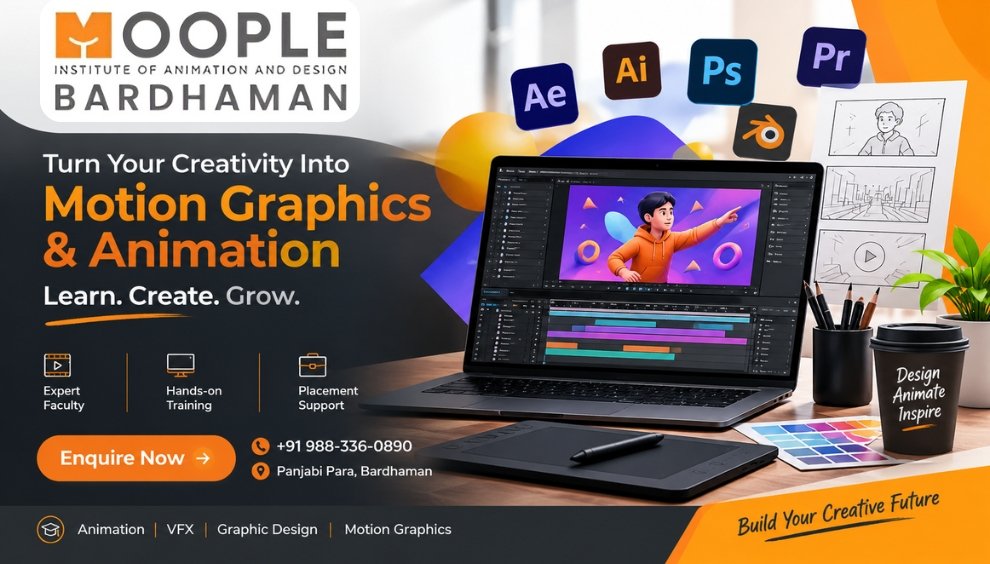
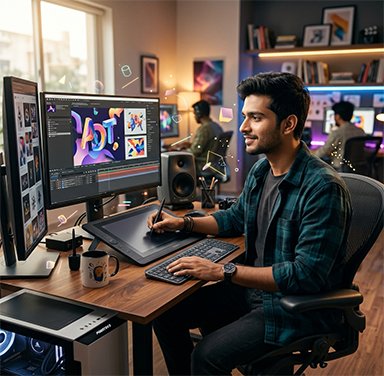
Bring stories to life through motion, sound and visual creativity with Moople Bardhaman's Diploma in Motion Graphics & Video Editing with AI. This 8-month programme introduces you to graphic design fundamentals, professional video editing, animated templates, explainer videos and 3D motion graphics. Explore tools like Illustrator, Photoshop, Premiere Pro, CapCut, After Effects and Blender, along with AI-powered creative features, to develop content for today's digital platforms.

What Makes Motion Graphics & Video Editing an Exciting Skill to Learn?

Develop the ability to transform ordinary visuals into engaging multimedia content. Learn to combine graphic elements, animation, sound and video editing while exploring AI-assisted production techniques. From creating short-form videos to designing animated advertisements, gain practical knowledge of different content formats used across digital media.

Where Can Your Video Editing and Motion Design Skills Take You?

Build a creative career by developing expertise in video production, animation and digital content creation for various media platforms.

  • Video Editor
  • Motion Graphics Designer
  • 3D Motion Designer
  • Explainer Video Designer
  • Social Media Video Editor
  • Content Creator

Explore the Industries Where Video and Motion Design Create an Impact

Video-based communication is widely used by businesses and media organisations to share stories, promote products and connect with audiences.

  • Film & Entertainment
  • Digital Marketing Agencies
  • Social Media & Influencer Industry
  • Advertising & Production Houses
  • YouTube & Online Media
  • Corporate Communication
Duration 19 months

Course Module

Design Fundamentals & Colour Theory

Understand the visual principles behind effective motion design. Explore colour combinations, typography, composition and layout techniques using Illustrator to create a strong foundation for animated content.

Motion Graphics Template Design

Learn to prepare reusable visual elements for digital video projects. Explore thumbnail creation, graphic arrangements and animated design templates using Photoshop.

Explainer Video Design & AI Sound

Discover how to communicate ideas through visual storytelling. Create explainer video graphics using Canva AI and explore AI-generated voiceovers, music and sound effects.

Video Editing with Premiere Pro & CapCut

Develop your video editing skills by working with footage, audio and visual sequences. Learn to refine content with pacing, transitions, colour correction, titles and captions.

Logo Animation & Explainer Videos

Give static graphics movement through animation techniques. Learn to animate logos, typography and infographics while developing complete explainer video sequences using After Effects.

3D Motion Graphics with Blender

Explore three-dimensional animation and visual design using Blender. Create dynamic product visuals, animated logos and promotional sequences with depth and movement.

CAREER OPTIONS

Video Editor

Arrange footage, sound and visual effects to produce professional video content.

Motion Graphics Designer

Create animated text, graphics and visual sequences for multimedia projects.

Artist

Develop creative visual concepts and graphic elements for digital media productions.

3D Motion Designer (Blender) / 3D Motion Graphics Artist

Design dimensional animations and dynamic 3D visual compositions.

Logo Animation & Motion Graphics Template Designer

Create animated brand logos and reusable motion graphics templates.

Infographics Template Designer

Develop visual information layouts and animated infographic designs.

Explainer Video Designer

Turn concepts and information into engaging visual storytelling videos.

Explainer Video Assets Designer

Create illustrations, graphic elements and visual components for explainer videos.

Explainer Video Sound Designer

Work with music, voiceovers and sound effects to enhance video presentations.

Social Media Video Editor

Edit platform-specific videos with engaging transitions, captions and effects.

Reels & Short-form Content Creator

Produce short, attention-grabbing videos for digital audiences.

Digital Marketing Content Creator

Develop multimedia content for online promotions and marketing campaigns.

YouTube Video Editor

Edit YouTube videos with suitable pacing, graphics, titles and audio elements.

Promo & Ad Film Editor

Assemble promotional footage into compelling advertisements and brand films.

Title & Lower-Thirds Designer

Create animated titles, name captions and on-screen information graphics for videos.

Content Creator

Plan and produce creative video and multimedia content for different online platforms.

Software Used

FAQ

Frequently Asked Questions

Video editing involves arranging and refining recorded footage, whereas motion graphics focuses on bringing text, shapes and graphic elements to life through animation.

A motion graphics template is a reusable animated design structure that can be customised with different text, colours, images and other visual elements.

Businesses use explainer videos to introduce products, describe services and communicate information through a combination of animation, visuals and sound.

Sound adds emotion, atmosphere and rhythm to videos. Properly selected music and sound effects can make visual content more engaging and memorable.

Lower thirds are on-screen graphic elements used to display information such as names, designations, locations or additional details during a video.

Blender allows artists to create animated 3D objects, product visuals, logo animations and dimensional compositions for creative video projects.

You can explore promotional advertisements, YouTube videos, social media reels, animated explainers, logo animations, infographics and 3D product videos.

AI audio tools can assist in creating voiceovers, background music and sound effects, offering additional creative options for video projects.

Visual storytelling helps present information in an organised and engaging way. It combines graphics, movement and sound to make messages easier to follow.

2D and 3D techniques offer different creative possibilities. Learning both allows you to work with flat animated graphics as well as dimensional visuals for a wider range of video projects.